> ## Documentation Index
> Fetch the complete documentation index at: https://docs.hyperlane.xyz/llms.txt
> Use this file to discover all available pages before exploring further.
# Using Squads with Solana
> Step-by-step guide to executing and signing a transaction in the Squads App on Solana
For Solana, the main UI that can be used: [Squads App](https://app.squads.so/)
## Steps
1. You’ll receive a base58 transaction from the Abacus Works team that is required for executing step 3.
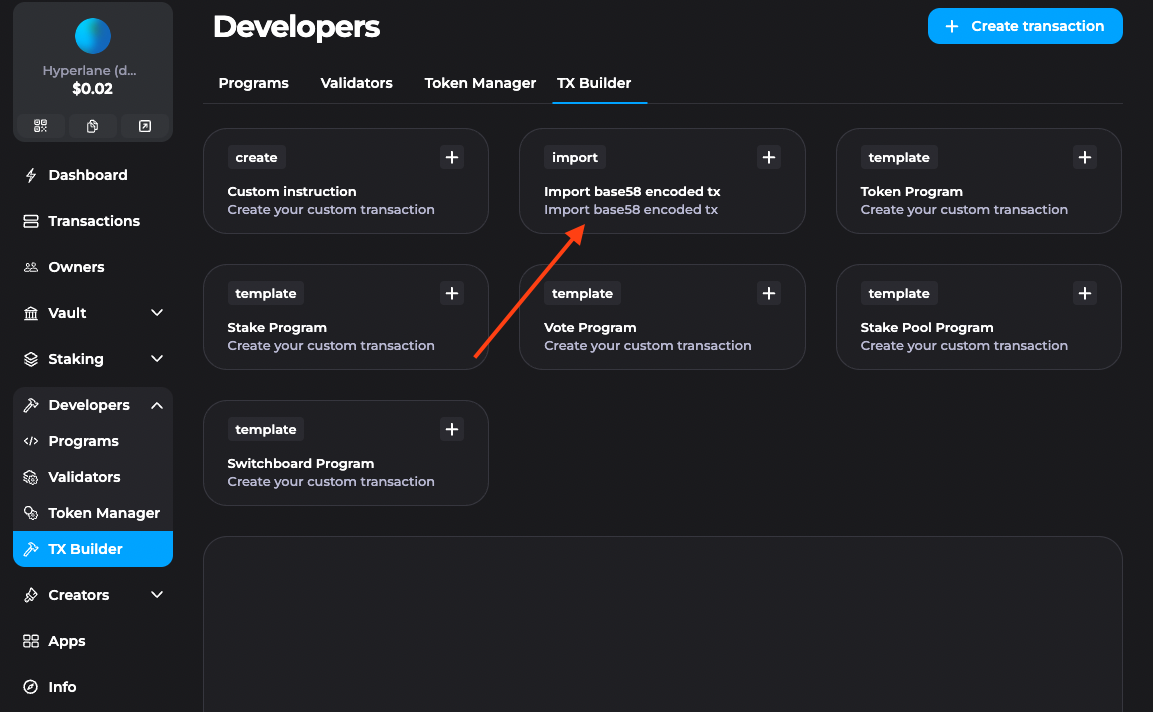
2. Navigate to **Developers → TX Builder** in Squads, and click **Import base58 encoded tx**.
 3. Copy the base58 transaction received from the Abacus Works team into the textbox.
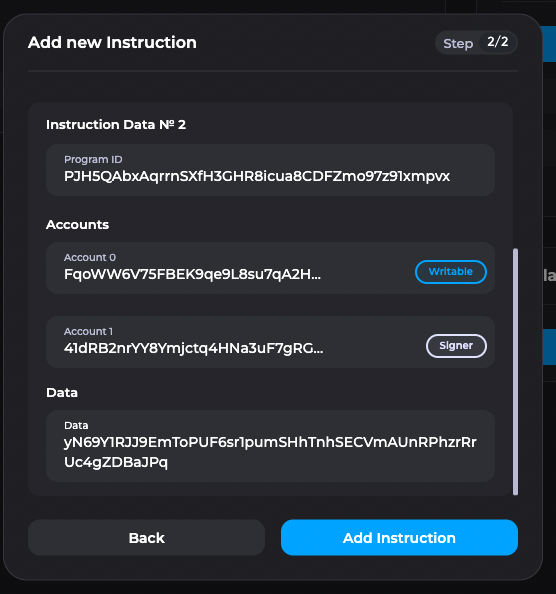
4. Click Next, then **Add Instruction**.
3. Copy the base58 transaction received from the Abacus Works team into the textbox.
4. Click Next, then **Add Instruction**.
 5. Give it a clear name, and click **Run Simulation**.
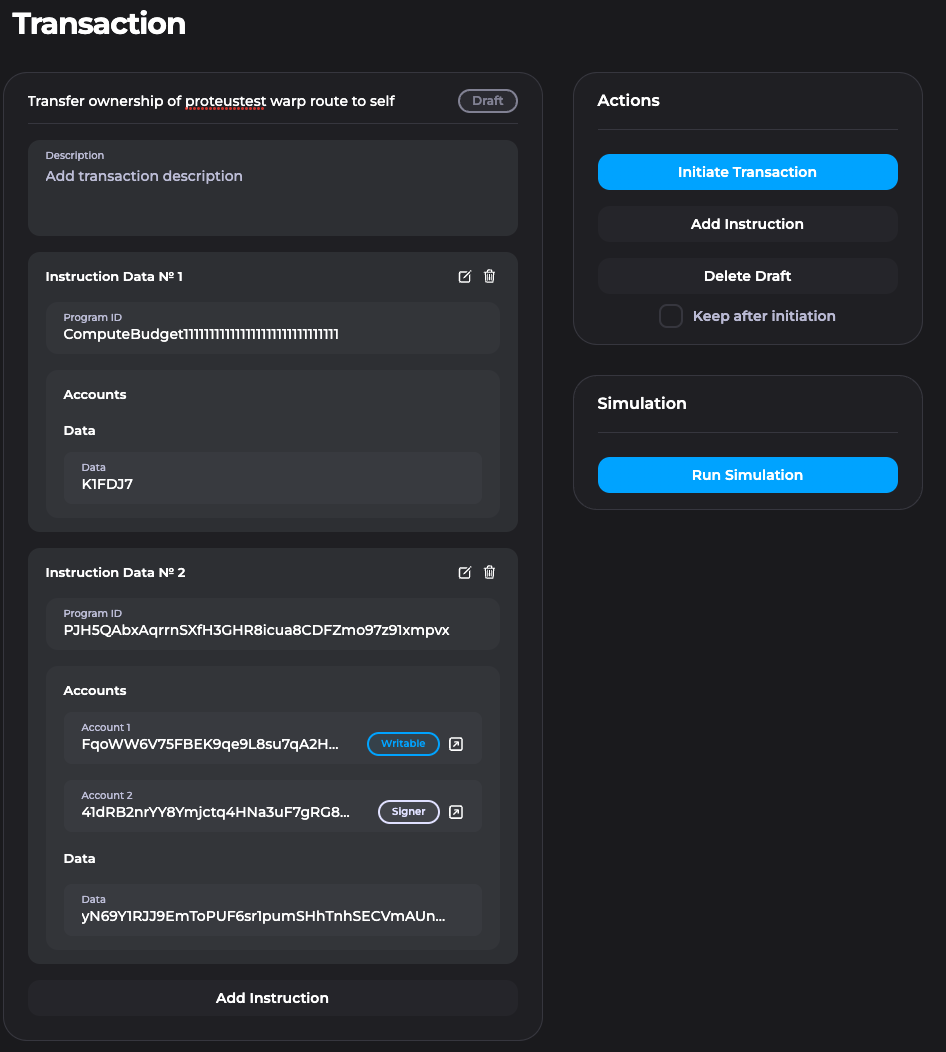 Simulation should be successful!
6. Click **Initiate Transaction** when you’re ready to submit it to the Vault.
7. You’ll be prompted for your Ledger to sign about 5 transactions via Phantom.
8. You’ll be brought to the **Transactions** view, which you may need to refresh. Now share the transaction with the other signers for them to confirm or reject.
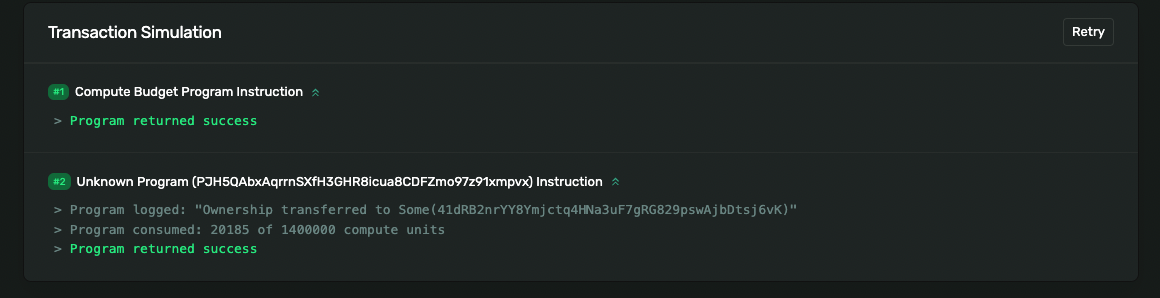
9. You can simulate the transaction and click **See Details** to view the logs of the simulated transaction. 🎉 You should see logs indicating ownership was successfully transferred!
Simulation should be successful!
6. Click **Initiate Transaction** when you’re ready to submit it to the Vault.
7. You’ll be prompted for your Ledger to sign about 5 transactions via Phantom.
8. You’ll be brought to the **Transactions** view, which you may need to refresh. Now share the transaction with the other signers for them to confirm or reject.
9. You can simulate the transaction and click **See Details** to view the logs of the simulated transaction. 🎉 You should see logs indicating ownership was successfully transferred!